A realistic AI influencer is one made-up person who looks the same in every photo and video, in places and light that look like real phone photos. A good way to make her in 2026 is ComfyUI with Krea 2: a character LoRA holds her face, plain-sentence prompts set each scene, and a realism pass makes the skin and light look real. This guide goes from the first idea to a week of posts.
AI influencer, AI avatar or AI character?
People use all three words. An AI avatar often means a talking presenter in a video, made with a talking-head tool to read a script. An AI influencer or AI character is a made-up person with her own look and life, posted as photos and short videos. This guide is about the second: realistic photos of one made-up person who stays the same.
Can you do it for free? Yes, if you have the time. ComfyUI is free, and Krea 2 can be downloaded under its community licence, so the only cost is a GPU: your own if it is strong enough, or a rented one by the hour. Our prompt and pose library and these guides are free too. A paid workflow saves the testing: is a paid ComfyUI workflow worth it? helps you decide.
What you need
- ComfyUI: the free program that runs image and video models as a graph of boxes called nodes. It runs on your own GPU or a rented one.
- Krea 2: the image model we use for realistic photos. It reads prompts written as full sentences, and character LoRAs can be trained on it. It is gated: open its page on Hugging Face and agree to the Krea 2 Community License before anything can download it.
- A GPU: a rented RunPod pod is the easiest start. How to run Krea 2 in ComfyUI on RunPod shows which one to pick.
- A made-up character: a person who does not exist. Never a real person, a celebrity or anyone who looks under 18.
1. Invent her
Write her down before you make a single picture: how old she looks, her face, hair, eyes, skin and build, her style, her city and what she does all day. A short profile keeps every later choice consistent: the clothes she would wear, the places she would go and the light where she lives.
Then pick her face: the one face you will build everything else on. Take your time here, because every later picture, her LoRA and every post depend on it.
2. Build her dataset
Collect 20 to 30 pictures of her: different angles, outfits, places and light, her face clear in every one. Whatever is the same in every picture becomes part of her, so change everything except her. Krea 2 character LoRA training explains what to collect and what to delete.
3. Train her LoRA
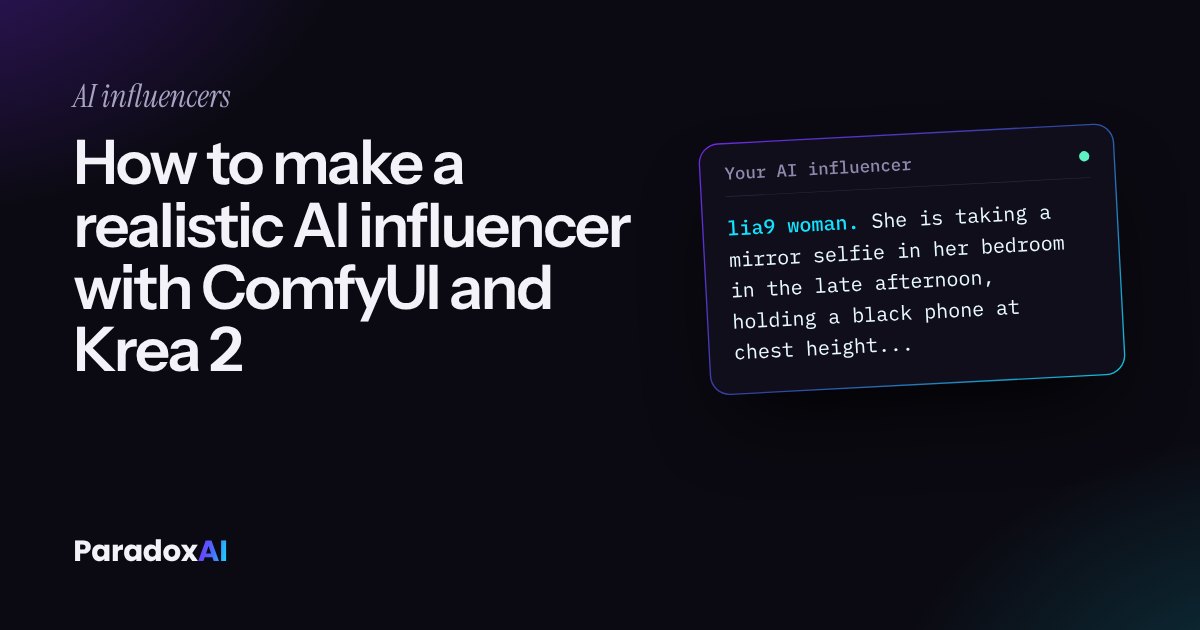
A character LoRA is a small file trained on her pictures. After training, a short trigger word like lia9 woman calls up her face, hair and body in any scene, and your prompt sets everything else. Test it with the same prompt and seed before you use it.
Prompts alone can't do this: why your AI character's face keeps changing shows why. If you only have one face you like, our trainings can build the dataset from 1 to 3 face photos.
4. Write prompts that look like real photos
- The trigger word first, once, then the scene in full sentences.
- The shot as a phone photo: a mirror selfie, a front-camera selfie or a photo a friend took, with how much of her is in the frame.
- The pose part by part, both hands included.
- Each piece of clothing with its colour, fabric and fit.
- The place with lived-in details: a charger cable on the bed, bottles on a shelf, a towel on a rail.
- The real light in plain words: a warm lamp at night, overcast daylight, a phone flash.
- No praise words or quality tags. Plain words make the most real picture.
lia9 woman. She is taking a mirror selfie in her bedroom in the late afternoon, holding a black phone at chest height in her right hand, framed from the knees up. She stands with her weight on one leg, her left hand in the front pocket of her jeans. She wears a cropped white ribbed tank top and loose light-blue jeans with a brown leather belt. Behind her is an unmade bed with a white duvet, a phone charger cable across the pillow and a tall green plant by the window. Soft daylight comes through the window on her left, leaving the far corner of the room in shadow.
How Krea 2 reads your prompt explains why sentences beat tags, and mirror selfie prompts has more to start from.
5. Make it look real
Most AI photos look fake for the same few reasons: skin that is too smooth, light that is too perfect, framing that is too posed and a picture that is too clean. Why AI photos look fake goes through each one. In the Paradox workflows, the Paradox Realism Engine adds skin, light and photo detail with three switches.
6. Shoot her like a real person
Real accounts post sets: one outfit in one place, photographed a few ways. Keep the outfit, the place and the light the same, and change only the pose and the camera. For four matching selfies in one go, use a 2x2 grid prompt.
Our prompt and pose library has eight shoots made this way, with every pose written out.
7. Copy a scene from a photo
When you see a photo you want her in, describe its scene, not its person: image to prompt for Krea 2 shows how, and Paradox Lens does it from a right-click in Chrome.
8. Add video
Short clips make an account feel alive. Start from one of her photos and animate it: our free MiniMax H3 workflows turn a picture into a video with sound, and Pro adds Paradox Motion and Paradox Echo to make her dance, talk and sing.
9. Post her honestly
- Say she is AI. On Instagram, switch on the AI-generated profile label (since 31 August 2026 unlabelled AI profiles may be left out of recommendations). TikTok requires a label on realistic AI-generated content. Is it legal to make an AI influencer? has every rule.
- Only your own made-up character, never a real person's face, and never photos you don't have the right to use.
- Follow each platform's rules. AI OFM, the honest way covers which platforms allow a fully AI model.